
Nested Knowledge connects to a set of third-party services that extend what you can do inside a nest — reaching more literature, retrieving full texts, surfacing citation context, and confirming what you’re licensed to do with the articles you obtain. Each integration is set up once at the organization level and then available across the nests your organization owns.
Some integrations are automatically configured and present in all nests (Article Galaxy and scite) and some integrations are configured in Organizations→ Integrations by an Organization Owner or Admin, and most require your own license or credentials with the provider. Because they’re enabled per organization rather than per nest, turning one on makes it available to everyone working in your organization’s nests.
The integrations available today are covered below.
Embase #
Embase is Elsevier’s biomedical literature database, and one of the most comprehensive and carefully indexed sources for published studies and conference abstracts. The integration lets you search and pull Embase records directly into Nested Knowledge, keeping the search, execution, de-duplication, and record-management steps in one place rather than exporting and re-importing by hand — which also makes living reviews far easier to refresh.
Connecting Embase requires an Embase API key and, where applicable, an institutional token from Elsevier.
Connecting Embase #
In Organization Management → Integrations, find the Embase panel and enter your API Key and Institutional Token, then select Save. If you don’t have these to hand, use the Need help with Embase credentials? link in the panel. Learn more here.

Once saved, Embase is available as a source when building and running automatic searches. See Literature Search for how to search across your connected sources.
Copyright Clearance Center (CCC) RightFind: Usage Rights #
Before you process or share a full text you often need to know what you’re actually licensed to do with it. The Copyright Clearance Center (CCC) RightFind integration identifies the Usage Rights on your records for each full text and whether you’re permitted to use it for Print, Digital Use, AI/ML Use, and Reactive Sharing.
This matters most for the AI/ML Use right, which tells you whether you’re licensed to run Nested Knowledge’s AI tools — such as Adaptive Smart Tags and Smart Insights — over a given full text. For regulated evidence work, Usage Rights lets you confirm up front and filter your records accordingly.
The RightFind integration is available to any organization with a CCC RightFind license, and covers usage rights only — it isn’t a full-text retrieval method (see Article Galaxy below or Full Text Import for retrieval).
Usage Rights is broader than RightFind. RightFind is the current source of usage-rights data and support for usage rights from additional data sources is being introduced over the course of this year.
Connecting RightFind #
In Organization Management → Integrations, find the RightFind panel and enter your Username, Password, and Country, then select Save. If you need help locating these, use the Need help with RightFind credentials? link in the panel. Learn more here.

Article Galaxy #
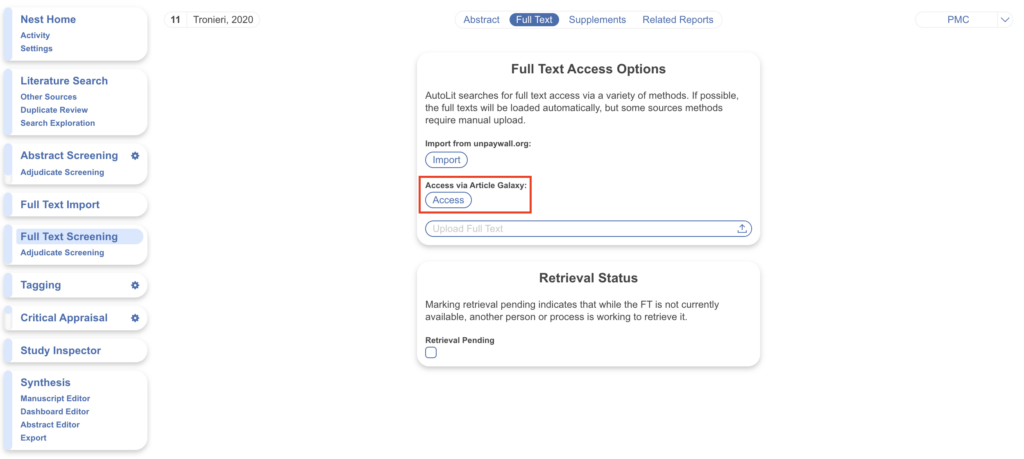
Article Galaxy (Reprints Desk) is a document-delivery service for retrieving full-text PDFs, including paywalled articles your organization is entitled to. Records missing a full text can be retrieved through Article Galaxy on an individual basis when navigating to the “Full Text” tab.
No action is required to integrate Article Galaxy as it works on a record-by-record basis.
scite #
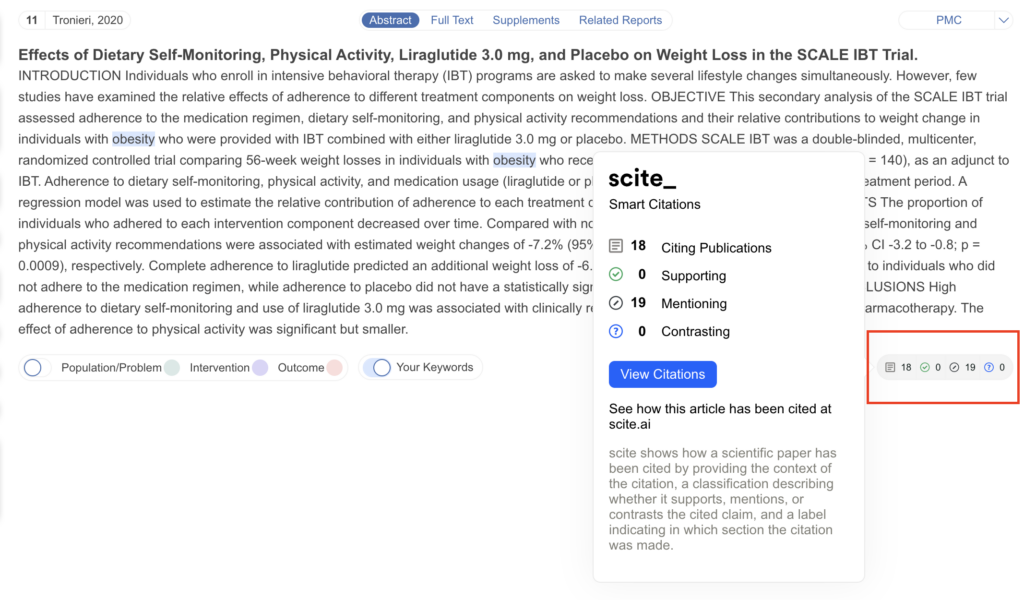
scite adds citation context to your records: rather than a raw citation count, it indicates how a study has been cited — whether other work has supported or contrasted its findings — which can help you gauge a study’s standing during screening and appraisal.
No action is required to integrate scite as it is automatically integrated into every record.