
Smart Insights is an AI-assisted feature in Nested Knowledge that helps you generate clear, evidence-backed written insights directly from your extracted data.
Insights are fully traceable by design. Every sentence is linked to tags in the hierarchy and its specific source material, with highlighted evidence showing exactly how each claim was derived. This allows you to review, verify, and refine insights with confidence. At the moment only Single Apply tags (and not Single/Multiple Select) can be turned into Insights, learn more on question types here.
When to use Smart Insights #
Use Smart Insights to move efficiently from extraction to interpretation. It is especially helpful for:
- Summarizing findings across studies
- Synthesizing extracted outcomes or study characteristics
- Drafting narrative sections for reports, dossiers, or internal reviews
How it supports your work #
Smart Insights accelerates drafting while keeping expert control in your hands. You can:
- Generate structured insights grounded in your extracted evidence
- Edit and refine text while preserving traceability
- Validate claims by reviewing linked source excerpts
Unlike standalone AI tools, Smart Insights works only with evidence in your project and maintains a clear link between insights and source data– supporting accurate, reproducible, and audit-ready outputs.
Steps #
Option 1. Create Dashboard Cards #
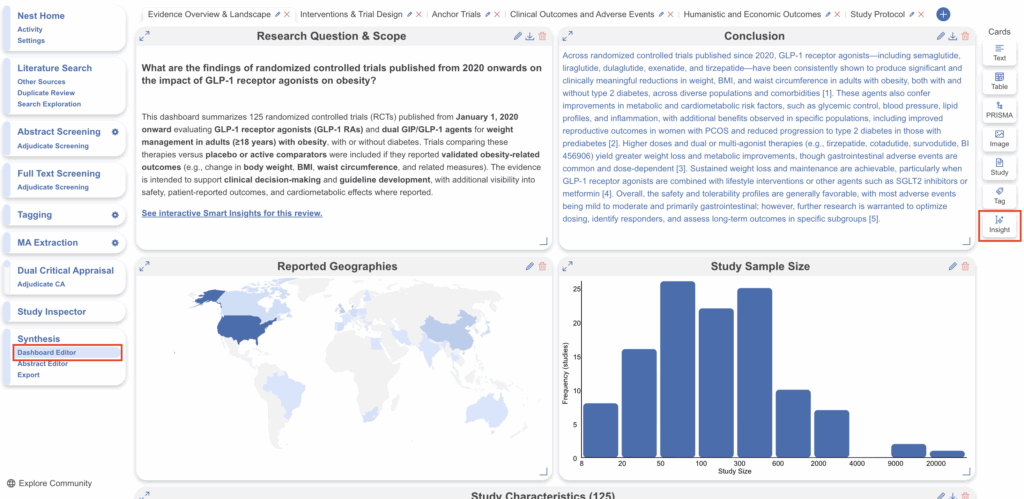
The second place Smart Insights can be generated, displayed and exported is on the Dashboard Editor page. Navigate to Dashboard Editor and select Insight under Cards.
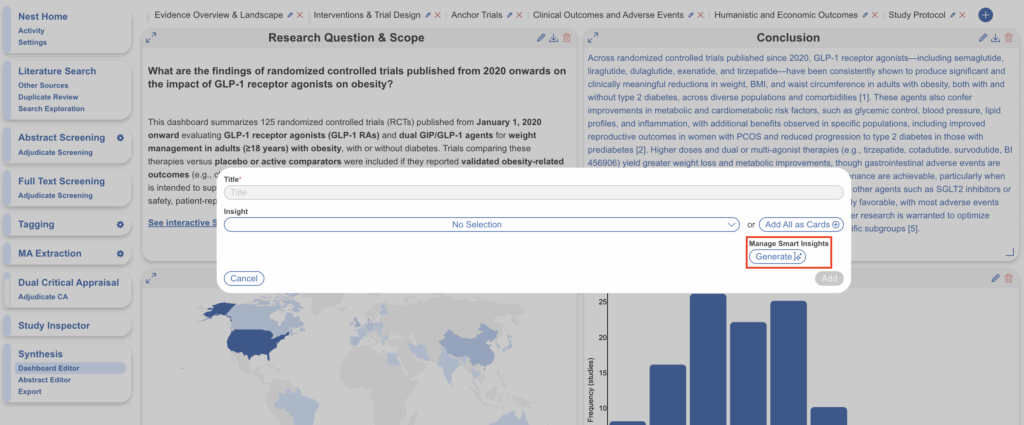
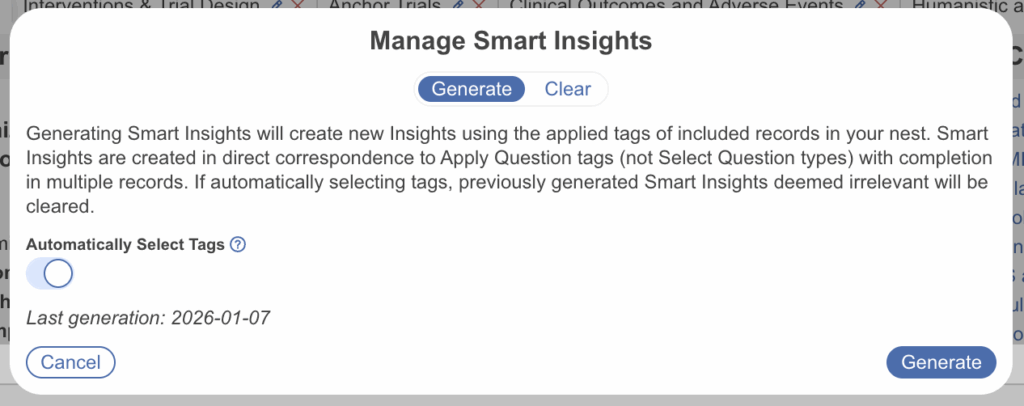
A modal will appear. If no Smart Insights have been generated, none will be displayed in the dropdown. First select Generate. Note: this generates Insight, Claim and Evidence and isn’t togglable.
This additional modal allows you to generate for all relevant tags or you may select individual tags by untoggling “Automatically Select Tags”. You may also clear any existing tags in the “Clear” tab.
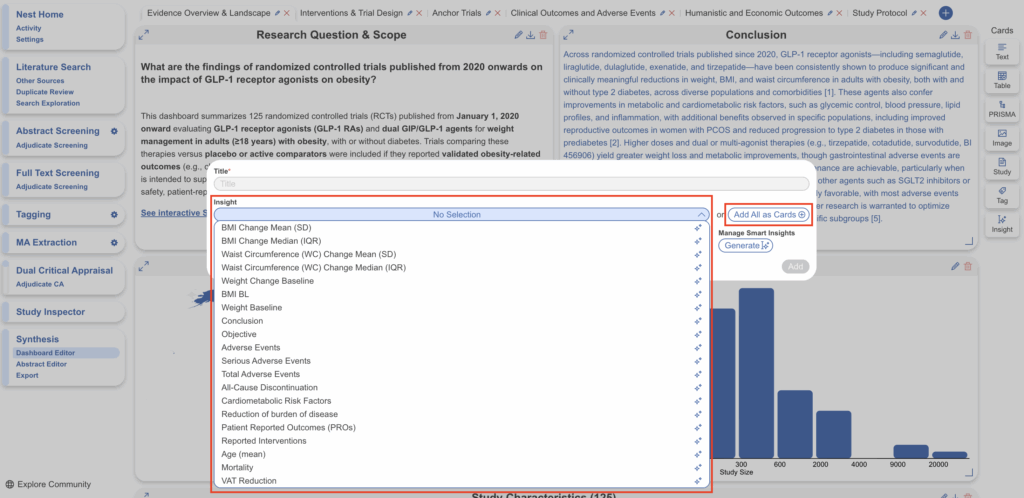
Once complete, head back to the Insight Card again and you will see a dropdown of all insights created. You can select one or select “Add All as Cards” if you want every insight to be displayed as an individual card in the present Dashboard.
Dashboard Interactive Visual #
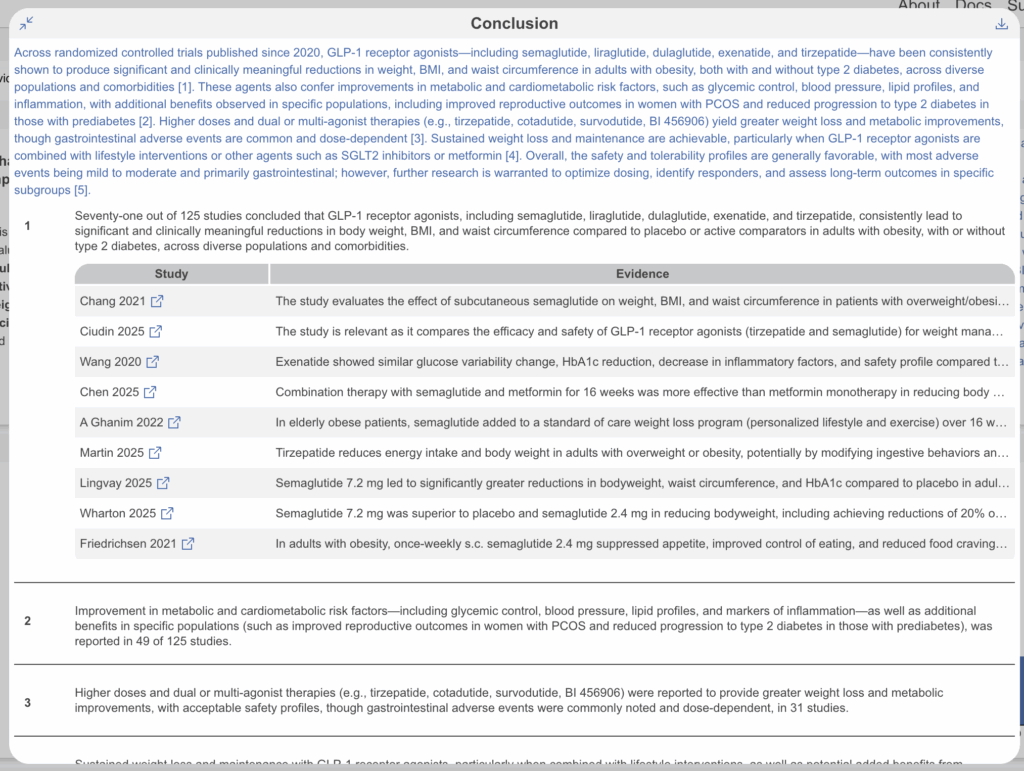
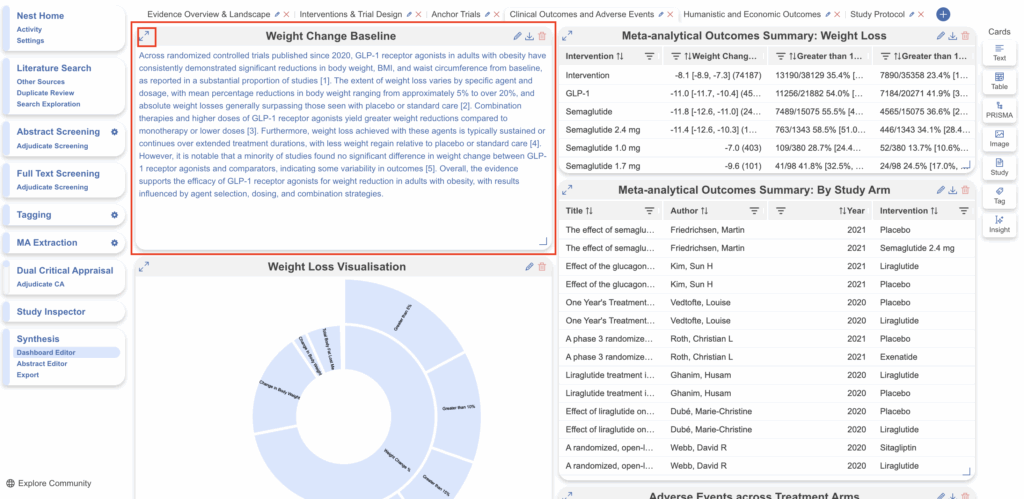
When Smart Insight cards are added, they will only display the Insight/Summary in the minimized visual. To view the Claims and Evidence, select the Expand arrow icon.
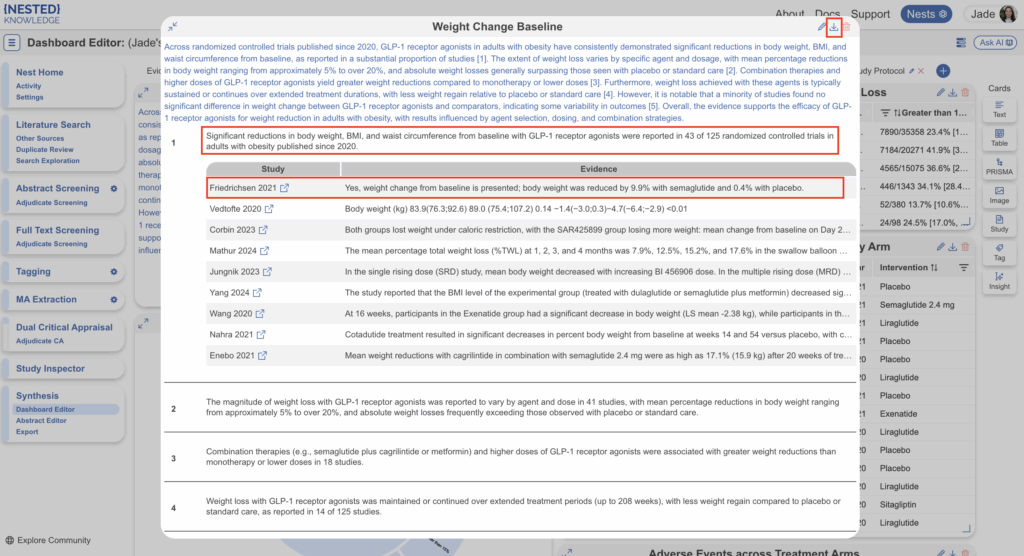
When expanded, Claims are numbered and displayed beneath. You can select each claim to open up the associated studies and select each study to view any applicable evidence. You can down each individual insight from the card by selecting the down arrow in the top right corner.
Option 1. Export to Word Doc #
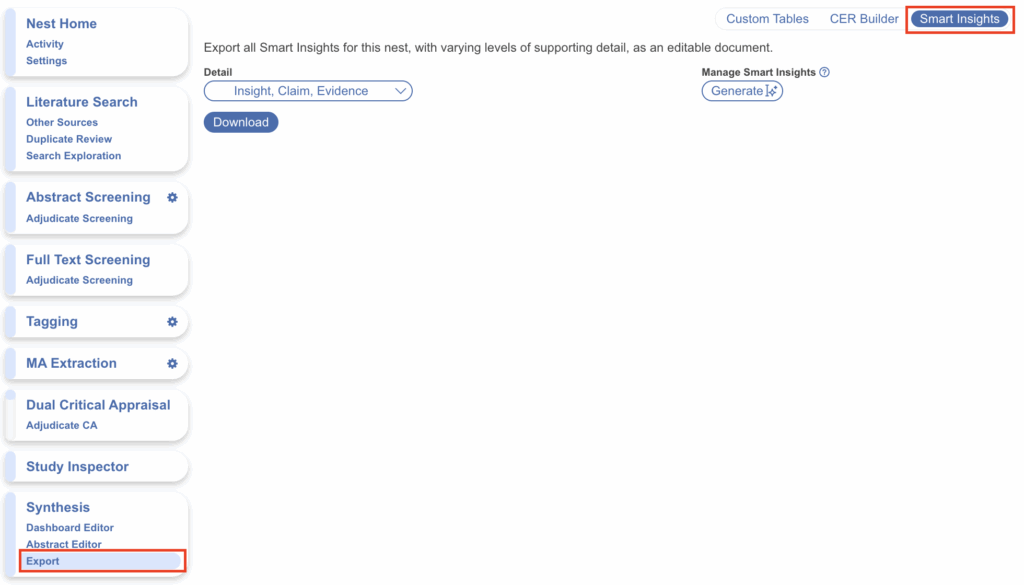
The first place Smart Insights can be generated and exported is on the Export page. Navigate to Export and select the Smart Insights tab.
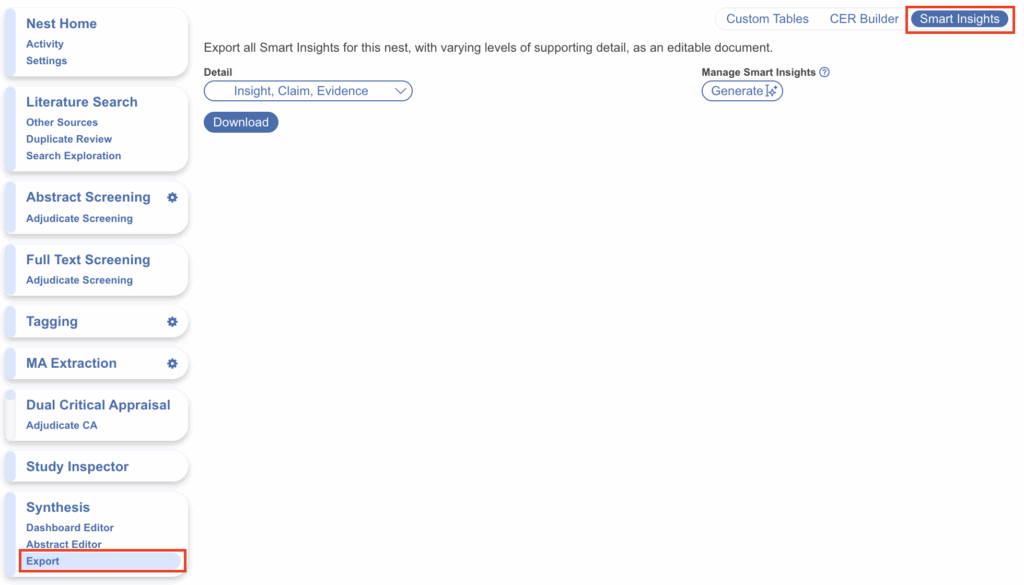
Here you’ll see a left-hand drop-down which gives you three options for what you may generate:
- Insight = Summary
- Claim = Individual Claims within Summary
- Evidence = Study Citations to support Claims
Any content that has been tagged using Nested Knowledge’s Single Apply tagging system, including data tables, can be summarized textually through this feature. So the first step is to ensure you have create and extracted Single Apply question tags within your hierarchy, Smart Insights does not currently work with Single or Multiple Select type questions. See here for more on question types.
The tool can be used to directly export into a word document or can be visualized as an interactive card within Dashboard (where you also have the option to export into a word doc).
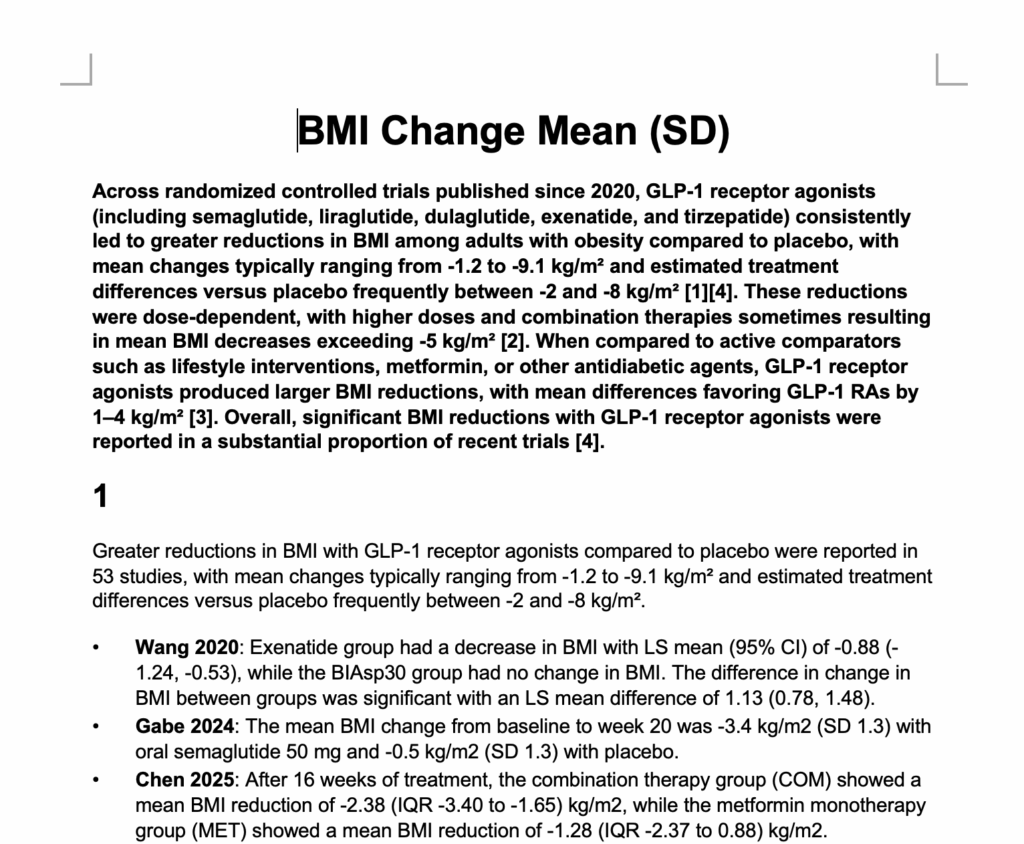
You can choose which combination you’d like and select Generate. This may take a second to generate, in which case you can click out, and check in progress via Background Jobs (three horizontal line icon in top right). When complete, select Download to export a word document with the generated information.
For example:
In Dashboard you can only export one Insight as a time, if you wish to export Insights in bulk, use the Export page (see above).
The feature represents Nested Knowledge’s first AI-based writing capability and was developed to support use cases requiring high standards of methodological rigor, auditability, and reproducibility.